Text to Speech API Tutorial: Add AI Voice to Your App (Node.js & Python, 2026)
A practical text to speech API tutorial with Node.js and Python code: your first request, handling long text, concurrency, retries, merging audio, loudness, caching and cost control.
Adding a voice to your app is easier than ever. A few lines of code can turn any text into natural speech for an audiobook app, a learning platform, an accessibility feature, a video pipeline or a voice agent.
But there's a big gap between a demo that speaks one sentence and a production system that reliably turns a 20,000-word book into clean, consistent audio without hitting rate limits or blowing your budget.
This text to speech API tutorial covers both. You'll make your first request in minutes, then learn the techniques we use in production at JSF Labs: sentence-aware chunking, parallel generation, retries, merging audio, loudness normalization, caching and cost control, with working Node.js and Python examples.
What is a text to speech API?
A text to speech (TTS) API is a web service that takes text as input and returns synthesized speech as an audio file or stream. You send an HTTP request with:
- The text to speak
- A voice ID, either a stock voice or your own cloned voice
- Optional settings: model, language, speed, output format
…and you get back audio (MP3, WAV, PCM and so on) or a URL to it.
Common use cases
- Narration for videos, podcasts and audiobooks
- E-learning platforms turning lessons into audio
- Accessibility: reading articles aloud
- Voice agents, IVR and customer support bots
- Notifications and in-app voice prompts
- Games and interactive characters
Step 1: Get an API key
- Create a free account at jsflabs.io. You get 10,000 free characters to test with.
- Generate an API key from your dashboard.
- Store it as an environment variable, never in your frontend code:
export JSF_API_KEY="your_api_key_here"Step 2: Your first request
cURL
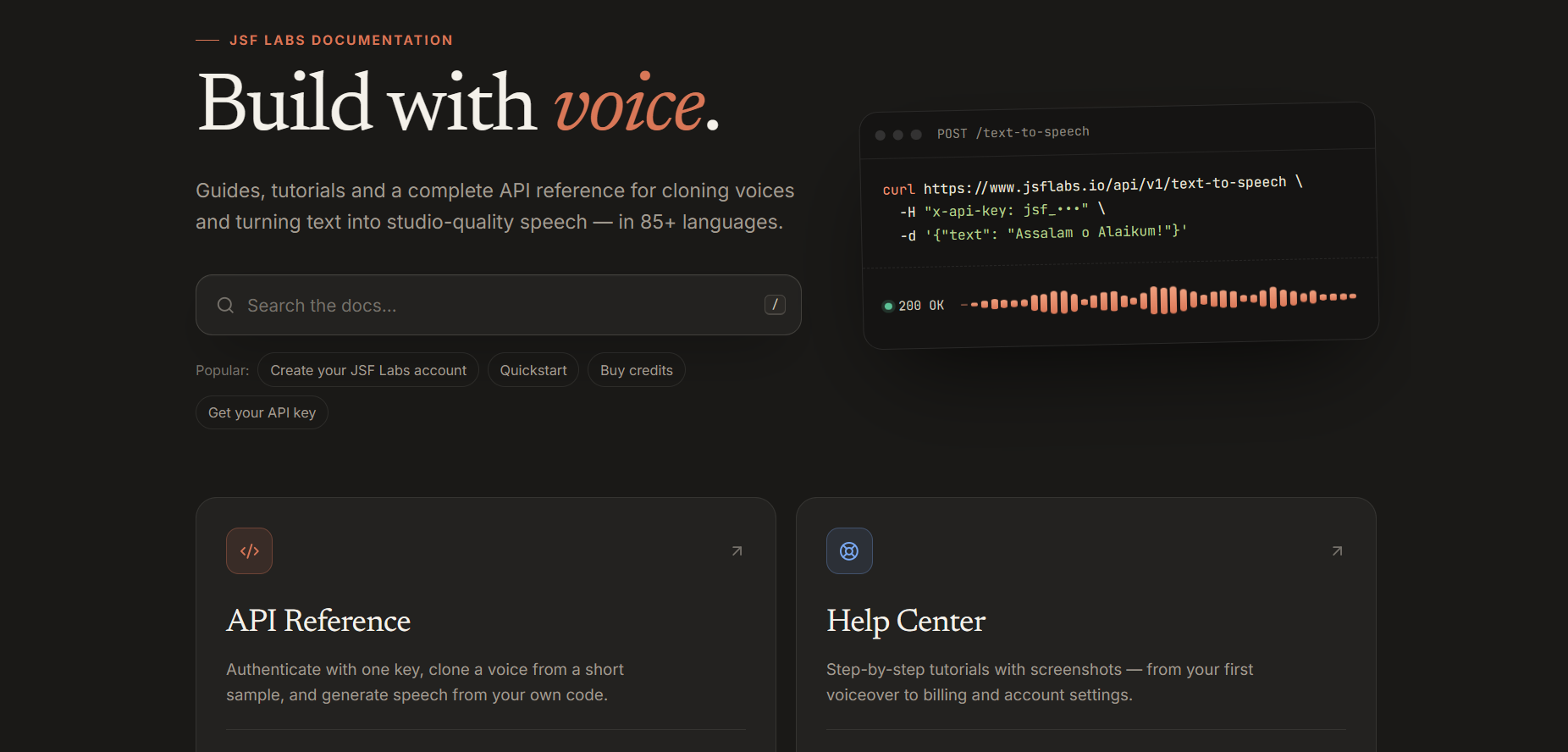
curl -X POST https://jsflabs.io/api/v1/text-to-speech \
  -H "Authorization: Bearer $JSF_API_KEY" \
  -H "Content-Type: application/json" \
  -d '{
    "text": "Hello! This is my first AI-generated voice.",
    "voice_id": "YOUR_VOICE_ID"
  }'
The response contains a URL to your generated audio file.
Node.js (18+)
const API_URL = "https://jsflabs.io/api/v1/text-to-speech";

async function textToSpeech(text, voiceId) {
  const res = await fetch(API_URL, {
    method: "POST",
    headers: {
      Authorization: `Bearer ${process.env.JSF_API_KEY}`,
      "Content-Type": "application/json",
    },
    body: JSON.stringify({ text, voice_id: voiceId }),
  });

  if (!res.ok) {
    const err = new Error(`TTS request failed with status ${res.status}`);
    err.status = res.status;
    err.retryable = res.status === 429 || res.status >= 500;
    throw err;
  }

  return res.json(); // e.g. { audioUrl: "https://..." }
}

const result = await textToSpeech("Hello from Node.js!", "YOUR_VOICE_ID");
console.log(result.audioUrl);Python
import os
import requests

API_URL = "https://jsflabs.io/api/v1/text-to-speech"

def text_to_speech(text: str, voice_id: str) -> dict:
    res = requests.post(
        API_URL,
        headers={
            "Authorization": f"Bearer {os.environ['JSF_API_KEY']}",
            "Content-Type": "application/json",
        },
        json={"text": text, "voice_id": voice_id},
        timeout=60,
    )
    res.raise_for_status()
    return res.json()  # e.g. {"audioUrl": "https://..."}

result = text_to_speech("Hello from Python!", "YOUR_VOICE_ID")
print(result["audioUrl"])
That's enough for short text. The rest of this guide is about making it production-ready.
Step 3: Handle long text with sentence-aware chunking
Every TTS API has a per-request character limit, and very long requests are slower and riskier. If one fails, you lose the whole thing. The fix is chunking: split long text into smaller pieces, generate each one, then join the audio.
Never split in the middle of a sentence. Cutting mid-sentence breaks intonation and creates audible glitches. Split on sentence boundaries instead:
Node.js
function chunkText(text, maxLen = 1000) {
  const sentences = text.match(/[^.!?\n]+[.!?]*\s*/g) || [text];
  const chunks = [];
  let current = "";

  for (const sentence of sentences) {
    if (current && (current + sentence).length > maxLen) {
      chunks.push(current.trim());
      current = "";
    }
    current += sentence;
  }
  if (current.trim()) chunks.push(current.trim());
  return chunks;
}Python
import re

def chunk_text(text: str, max_len: int = 1000) -> list[str]:
    sentences = re.findall(r"[^.!?\n]+[.!?]*\s*", text) or [text]
    chunks, current = [], ""
    for sentence in sentences:
        if current and len(current) + len(sentence) > max_len:
            chunks.append(current.strip())
            current = ""
        current += sentence
    if current.strip():
        chunks.append(current.strip())
return chunksStep 4: Generate chunks in parallel (without hitting rate limits)
Generating 40 chunks one by one is slow. Firing all 40 at once triggers 429 Too Many Requests. The answer is a concurrency limit: run a fixed number of requests at a time.
Node.js
async function mapWithConcurrency(items, limit, fn) {
  const results = new Array(items.length);
  let next = 0;

  const workers = Array.from(
    { length: Math.min(limit, items.length) },
    async () => {
      while (next < items.length) {
        const index = next++;
        results[index] = await fn(items[index], index);
      }
    }
  );

  await Promise.all(workers);
  return results; // same order as the input
}Python
from concurrent.futures import ThreadPoolExecutor

def generate_all(chunks: list[str], voice_id: str, workers: int = 5) -> list[dict]:
    with ThreadPoolExecutor(max_workers=workers) as pool:
        # map() keeps results in the same order as the chunks
        return list(pool.map(lambda c: text_to_speech_with_retry(c, voice_id), chunks))
Start with 3–5 concurrent requests, then tune based on your plan's rate limit. Keeping results in the original order is essential, or your audio will be scrambled.
Step 5: Retry failures with exponential backoff
Networks fail and APIs return occasional 429s and 5xx errors. Retry those, but back off so you don't make things worse. Don't retry 4xx errors like 400 or 401, because they won't fix themselves.
Node.js
async function withRetry(fn, maxAttempts = 4) {
  for (let attempt = 1; ; attempt++) {
    try {
      return await fn();
    } catch (err) {
      if (attempt >= maxAttempts || !err.retryable) throw err;
      const delay = 500 * 2 ** (attempt - 1) + Math.random() * 250; // jitter
      await new Promise((resolve) => setTimeout(resolve, delay));
    }
  }
}

// Putting it together
const chunks = chunkText(longText);
const results = await mapWithConcurrency(chunks, 5, (chunk) =>
  withRetry(() => textToSpeech(chunk, "YOUR_VOICE_ID"))
);
const audioUrls = results.map((r) => r.audioUrl);Python
import random
import time

RETRYABLE = {429, 500, 502, 503, 504}

def text_to_speech_with_retry(text: str, voice_id: str, max_attempts: int = 4) -> dict:
    for attempt in range(1, max_attempts + 1):
        try:
            return text_to_speech(text, voice_id)
        except requests.HTTPError as err:
            status = err.response.status_code if err.response is not None else None
            if attempt == max_attempts or status not in RETRYABLE:
                raise
        except (requests.ConnectionError, requests.Timeout):
            if attempt == max_attempts:
                raise
time.sleep(0.5 * 2 ** (attempt - 1) + random.random() * 0.25)Step 6: Merge the audio chunks
Once every chunk is generated, join them into one file. The most reliable tool is FFmpeg.
- Download each chunk (
chunk_000.mp3,chunk_001.mp3, …). - Create a
list.txtfile in order:
file 'chunk_000.mp3'
file 'chunk_001.mp3'
file 'chunk_002.mp3'- Concatenate them:
ffmpeg -f concat -safe 0 -i list.txt -c copy output.mp3Want natural pauses between paragraphs? Generate a short silence file and insert it between chunks in list.txt:
ffmpeg -f lavfi -i anullsrc=r=44100:cl=mono -t 0.4 -q:a 9 silence.mp3Step 7: Normalize loudness
Different chunks, and especially different voices, can come out at slightly different volumes. Listeners notice. Normalize the final file to a standard loudness target:
ffmpeg -i output.mp3 -af loudnorm=I=-16:TP=-1.5:LRA=11 -ar 44100 final.mp3- -16 LUFS is a common target for podcasts and online audio
- -14 LUFS is close to what many streaming platforms normalize to
TP=-1.5keeps peaks safely below clipping
For the most even results across chunks, normalize each chunk before merging, then do a final pass on the full file.
Step 8: Choose the right output format
| Format | Best for | Notes |
|---|---|---|
| MP3 | Web, mobile apps, video, podcasts | Small files, universally supported |
| WAV | Editing and post-production | Lossless, large files |
| PCM | Real-time streaming, custom pipelines | Raw audio, no container |
| Opus | Low-bandwidth streaming, WebRTC | Excellent quality at low bitrates |
| μ-law / A-law (8 kHz) | Phone calls, IVR, Twilio | Telephony standard |
Rule of thumb: generate WAV if you'll edit or master the audio, and MP3 for direct playback and delivery.
Step 9: Streaming vs batch generation
- Batch (request → full file): best for videos, audiobooks, podcasts and pre-generated content. Simpler, and easy to retry and cache.
- Streaming (audio arrives as it's generated): best for voice agents and live conversations, where time-to-first-audio matters. It usually uses WebSockets or chunked HTTP responses.
If a user is waiting to hear a reply in real time, stream. Otherwise, batch is simpler and more robust.
Step 10: Cache audio to cut costs
If the same text is spoken with the same voice more than once, such as UI prompts, onboarding lines or popular articles, generate it once and reuse it.
import { createHash } from "node:crypto";

function cacheKey(text, voiceId, model = "default") {
  return createHash("sha256").update(`${model}|${voiceId}|${text}`).digest("hex");
}

// Before calling the API:
// 1. Compute cacheKey(text, voiceId)
// 2. If the key exists in your DB or object storage, return the stored audio URL
// 3. Otherwise generate, upload the audio, and save it under that key
For apps with repeated prompts, caching can cut TTS spend dramatically.
Step 11: Estimate and control your costs
TTS APIs usually bill per character of input text. Spaces and punctuation count too. A handy rule:
- ~150 words per minute of speech
- ~850–1,000 characters per minute of audio
- ~51,000–60,000 characters per hour
Monthly cost = characters per month ÷ 1,000,000 × price per 1M characters
| Monthly audio | Characters | At $80 / 1M | At $30 / 1M | At $4 / 1M (JSF Labs) |
|---|---|---|---|---|
| 10 hours | ~550k | $44 | $16.50 | $2.20 |
| 100 hours | ~5.5M | $440 | $165 | $22 |
| 1,000 hours | ~55M | $4,400 | $1,650 | $220 |
Cost-saving checklist
- Cache repeated text
- Strip markup, URLs and invisible characters before sending
- Only regenerate the chunks that changed, not the whole document
- Use a cheaper model for drafts and previews
- Compare providers. Prices per million characters range from about $2.5 to $160+.
Step 12: Use your own cloned voice
Most modern TTS APIs support voice cloning: upload a short sample and get back a voice ID you can use like any stock voice. With JSF Labs, voice cloning is unlimited on every plan and works across 85+ languages. Once cloned, just pass the new voice_id in your TTS requests.
Production checklist
- API key stored server-side as an environment variable
- Input text cleaned and validated (length limits, empty strings)
- Sentence-aware chunking under the provider's limit
- Concurrency limit set below your rate limit
- Retries with exponential backoff for 429/5xx only
- Each chunk's result saved as soon as it succeeds
- Audio merged in the correct order
- Loudness normalized to a consistent target
- Repeated text cached
- Usage and errors logged per request
- Monthly spend alerts configured
Frequently asked questions
What is the best text to speech API for developers?
It depends on your priorities. ElevenLabs leads on premium quality, Cartesia on real-time latency, Google and Azure on enterprise features, and JSF Labs on price, at about $2.5–4 per million characters with unlimited voice cloning. See our full TTS API comparison.
Is there a free text to speech API?
Most providers offer free credits rather than unlimited free use. JSF Labs gives 10,000 free characters to every new account, and some cloud providers include monthly free tiers.
How do I convert long text to speech with an API?
Split the text into sentence-aware chunks below the provider's character limit, generate them in parallel with a concurrency limit and retries, then merge the audio in order with a tool like FFmpeg.
How do I avoid rate limit (429) errors?
Limit concurrent requests, retry 429 responses with exponential backoff and jitter, and queue large jobs instead of sending everything at once.
Which audio format should I use?
MP3 for playback in apps and videos, WAV if you'll edit or master the audio, and 8 kHz μ-law for phone systems.
How much does a text to speech API cost?
Prices typically range from about $2.5 to over $160 per million characters depending on the provider and model. One hour of audio is roughly 51,000–60,000 characters.
Can I use my own voice with a TTS API?
Yes. Many APIs support voice cloning, where you upload a short sample and use the returned voice ID in your requests.
Start building
You now have everything you need to go from a single "Hello world" to a production-grade voice pipeline: chunking, parallelism, retries, merging, loudness, caching and cost control.
Ready to add voice to your app? Get your free JSF Labs API key: 10,000 free characters, unlimited voice cloning, 200+ languages, and pricing from about $2.5 per million characters. Full reference in the API docs.
Hear your words in a studio-grade voice.
Try JSF Labs text to speech and voice cloning free. No card needed.