How to Clone Your Voice with AI in Urdu & English (Step-by-Step Guide 2026)
Clone your own voice with AI in minutes and generate unlimited voiceovers in Urdu, English and 85+ languages. Recording tips, step-by-step setup, best uses and safety rules.
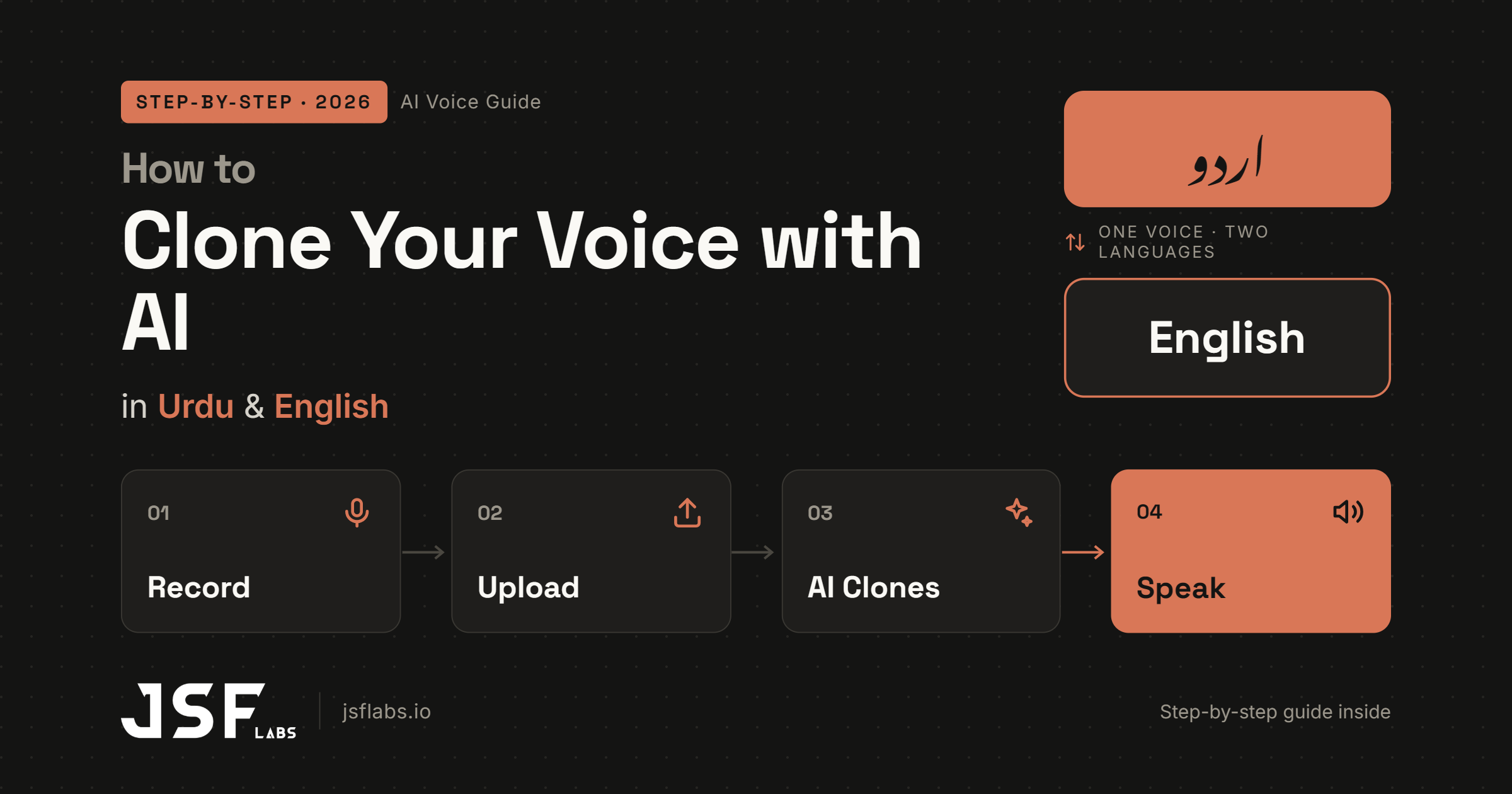
Imagine writing a script and hearing it read back in your own voice, in Urdu, English or another language, without ever touching a microphone again. That's what AI voice cloning does.
Creators use it to publish YouTube videos daily without recording, teachers use it to turn notes into lectures, and businesses use it to keep one consistent brand voice across every ad.
In this guide you'll learn exactly how to clone your voice with AI, how to record a sample that gives a near-perfect clone, how to make it sound natural in Urdu, and how to use it safely.
What is AI voice cloning?
AI voice cloning creates a digital model of a person's voice from a short audio recording. The AI learns the voice's tone, pitch, accent and speaking style. Once the clone is ready, you type any text and it's spoken in that voice.
Modern voice cloning is:
- Fast: a clone is ready in seconds to minutes
- Short-sample: you don't need hours of studio recordings
- Multilingual: with a good model, the same voice can speak other languages
- Reusable: clone once and generate unlimited audio
Voice cloning vs text to speech: what's the difference?
| Text to speech | Voice cloning | |
|---|---|---|
| Voice | Ready-made voices | Your own voice (or one you're allowed to use) |
| Setup | None | Upload a short recording once |
| Best for | Quick narration, apps, testing | Personal brand, channels, courses, consistent identity |
| Uniqueness | Other people may use the same voice | Unique to you |
Many creators use both: stock voices for testing scripts and side projects, and their cloned voice for their main channel or brand.
What you need before you start
- A phone or laptop with a decent microphone (most modern phones are fine)
- A quiet room: soft furnishings like curtains, a bed or a wardrobe of clothes reduce echo
- About 5 minutes
- A free JSF Labs account
Step 1: Record the perfect voice sample
The quality of your clone depends almost entirely on the quality of your sample. Bad input means a bad clone.
Recording checklist
- Clean audio: no fans, AC, traffic, TV or background music
- One speaker only: nobody else talking
- Natural speaking: talk the way you want your videos to sound, not like you're reading a form
- Steady distance: keep the mic about a hand's length from your mouth
- Consistent tone: don't shout, whisper or change your energy suddenly
- Good length: around 30–60 seconds of clear speech works well
- No editing effects: avoid heavy filters, reverb or noise reduction that distorts the voice
What should you say?
Read a short paragraph in the language and style you'll use most. If your channel is in Urdu, record in Urdu. Here's a sample you can read:
"Assalam-o-Alaikum! Mera naam ____ hai. Aaj hum ek nayi aur dilchasp cheez ke baare mein baat karenge. Zindagi mein seekhne ka safar kabhi khatam nahi hota, aur har din hamein kuch naya sikhata hai. Toh chaliye, shuru karte hain."
Speak with the same energy you'd want in your final videos.
Step 2: Create your clone on JSF Labs
- Sign up or log in at jsflabs.io. Google sign-in works.
- Open Voice Cloning from your dashboard.
- Upload your recording, or record it directly if available.
- Name your voice, for example "My Urdu Voice", and choose the language.
- Click Clone. Your voice is ready in moments.
- Confirm that you own the voice or have permission to use it.
Step 3: Generate speech in your cloned voice
- Go to Text to Speech.
- Select your cloned voice from the voice list.
- Paste your script, ideally one section or paragraph at a time.
- Click Generate, listen, and download the MP3.
That's it. Every future voiceover is now one paste and one click away.
Step 4: Make your cloned voice sound more natural
General tips
- Punctuation is your director. Commas add short pauses, full stops add longer ones, and question marks lift the tone.
- Keep sentences short. Long, complex sentences sound robotic in any voice.
- Generate in sections. Shorter chunks give more consistent tone and are easier to fix.
- Regenerate weak lines. If one sentence sounds off, rewrite or re-punctuate it and generate again.
Urdu-specific tips
- Choose a script and stick to it: write in proper Urdu script or in clear Roman Urdu, and avoid mixing both in one sentence.
- Spell numbers as spoken: "do hazaar chhabees" or "2026", depending on how you want it said.
- English words in Urdu sentences: mixed sentences ("Aaj ka video bohat important hai") usually work well, so write them the way you'd naturally say them.
- Names and places: if a name is mispronounced, try spelling it phonetically.
For more on Urdu voices, read our complete Urdu text-to-speech guide.
Can my cloned voice speak other languages?
Yes. JSF Labs voice cloning supports 85+ languages, so a voice cloned from an Urdu sample can also speak English, Hindi, Arabic and more, keeping your voice's character. Results are usually best in the language you recorded, so if you'll use two languages a lot, test both.
Best ways to use your cloned voice
| Use case | How cloning helps |
|---|---|
| YouTube & faceless channels | Publish daily in your own voice without recording. See our faceless YouTube guide. |
| Online courses & teaching | Turn notes and slides into lectures in your voice |
| Podcasts | Fix mistakes or add segments without re-recording |
| Ads & reels | One consistent brand voice across every campaign |
| Audiobooks | Narrate your own book in your own voice |
| Accessibility | Preserve a voice for people at risk of losing their speech |
| Apps & IVR | Give your product a unique, recognisable voice via the API |
How much does voice cloning cost?
On many platforms, cloning is locked behind expensive plans or limited to a few voices. With JSF Labs:
- Voice cloning is unlimited on every plan, at no extra cost per voice
- You only pay for the characters you generate: Rs 1,250 per 1 million characters (about $4), down to about Rs 741 per million on larger plans
- 1 million characters is roughly 19 hours of audio, or about 110 ten-minute videos
See the full JSF Labs pricing breakdown, or compare platforms in our guide to the best ElevenLabs alternatives.
Is voice cloning legal and safe?
Voice cloning is legal and safe when you clone your own voice or have clear permission. It becomes a problem when it's used to deceive or impersonate.
Do
- Clone your own voice
- Get written permission before cloning anyone else, such as a client or voice artist
- Disclose AI use where platforms require it. For example, YouTube requires disclosure for realistic synthetic content.
- Keep your account secure so nobody else can use your voice
Don't
- Clone celebrities, politicians or public figures
- Use a cloned voice to trick, scam or mislead anyone
- Create fake statements or "leaked" audio of real people
- Use someone's voice after they've withdrawn permission
Troubleshooting: why does my clone sound wrong?
| Problem | Likely cause | Fix |
|---|---|---|
| Echo or hollow sound | Recorded in an empty room | Record near curtains, a bed or clothes |
| Background hum | Fan, AC or fridge | Turn off appliances and re-record |
| Robotic delivery | Sample read flatly | Re-record speaking naturally, with expression |
| Wrong accent | Sample in a different language or style | Record in the language you'll use most |
| Inconsistent tone | Very long text in one go | Generate in shorter sections |
| Wrong pronunciation | Unusual word or name | Spell it phonetically or adjust punctuation |
Frequently asked questions
How long does it take to clone a voice?
With a clean recording, creating the clone takes only seconds to a few minutes. Recording a good sample is the main step, and it takes about five minutes.
How much audio do I need to clone my voice?
Around 30–60 seconds of clean, natural speech is enough for a good clone. Quality matters more than length.
Can I clone my voice in Urdu?
Yes. JSF Labs supports Urdu voice cloning. Record your sample in Urdu for the most natural Urdu results.
Is voice cloning free?
JSF Labs gives every new account 10,000 free characters to test, and voice cloning is unlimited on every plan. You only pay for the characters you generate.
Can someone else use my cloned voice?
Your cloned voice is stored in your account. Keep your login secure and don't share your account or API keys.
Will YouTube demonetize videos with a cloned voice?
No, using your own cloned voice is allowed. YouTube targets mass-produced, low-effort content, not AI voices. Keep your scripts and editing original.
Can I delete my cloned voice?
Yes. You can delete a cloned voice from your account at any time.
Clone your voice today
Voice cloning turns hours of recording into minutes of typing. Record once, carefully, and you'll have your own voice ready for every video, lesson and ad you create.
Ready to hear yourself? Clone your voice free on JSF Labs: 10,000 free characters, unlimited voice cloning, and natural Urdu, English and 85+ languages.
Hear your words in a studio-grade voice.
Try JSF Labs text to speech and voice cloning free. No card needed.